Know what you own.
Keep sets, condition, quantities, purchase costs, and storage locations together. Search your collection when you need to find something.
PRIVATE BETA · COLLECTORS & RESELLERS
The sets you own. What you paid. What you sold. A clearer home for the collection you keep growing.
I’m Chase. I buy and sell LEGO too, and I built BrickLedger to make managing it all easier. Now I’m inviting fellow collectors to help me test it.
Works in your browser · Add to your home screen · Access by invitation
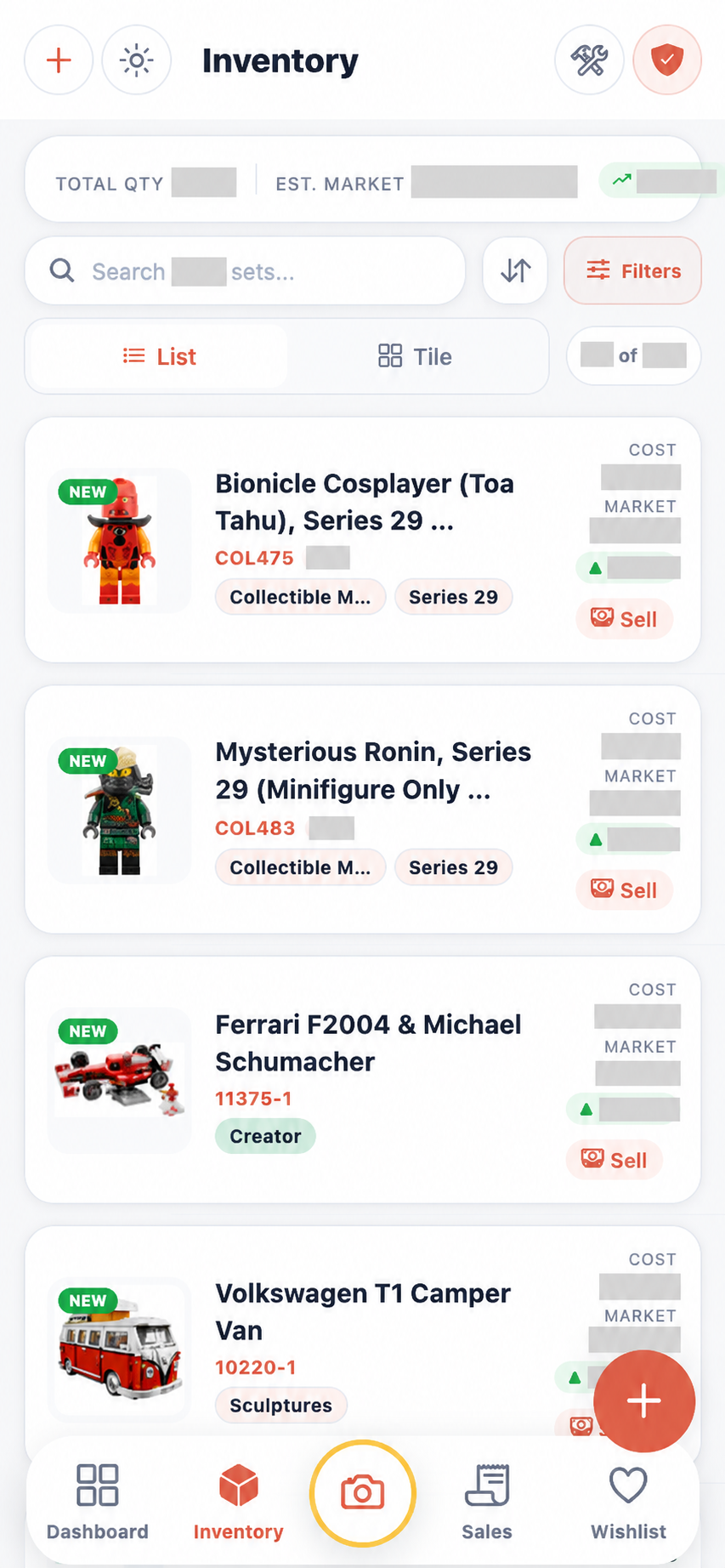
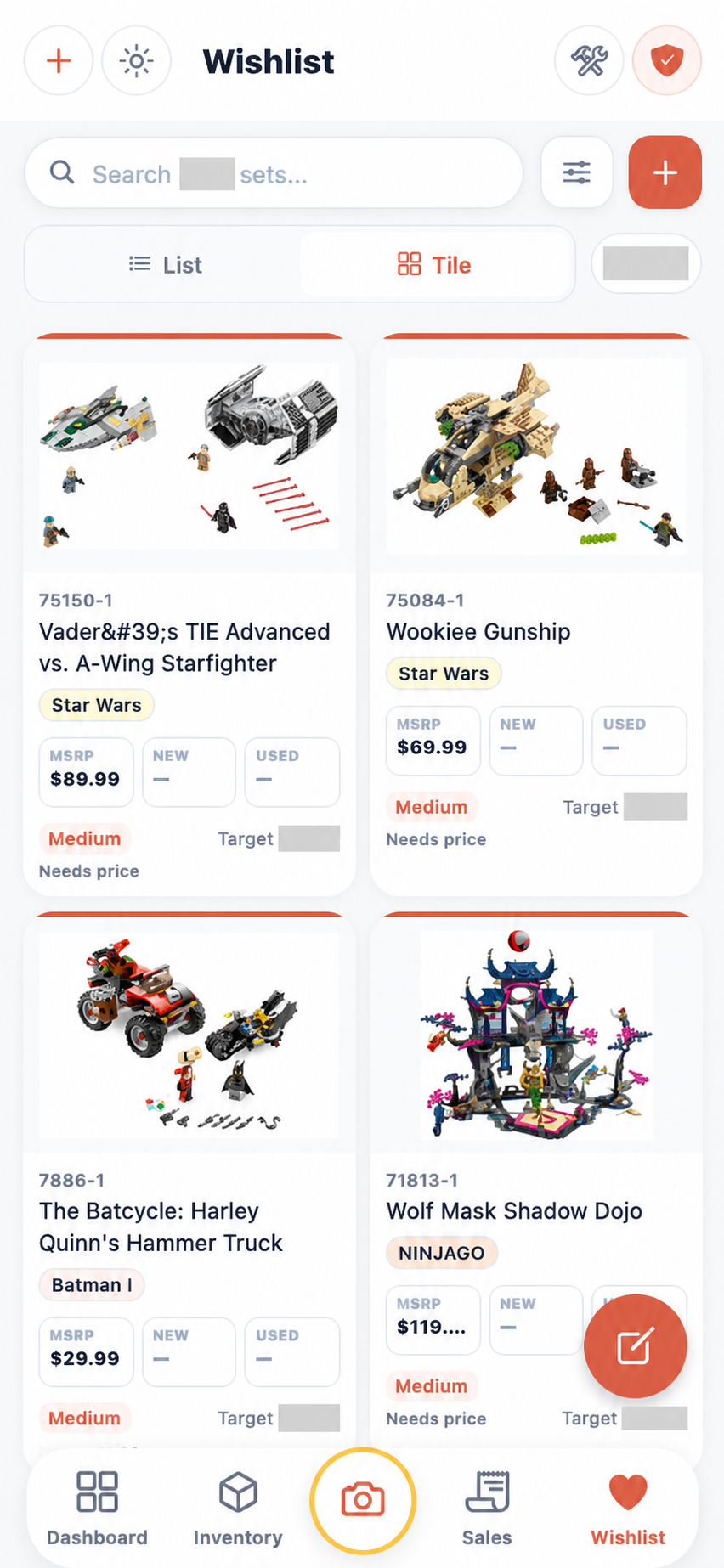
Real app screens · Private figures hidden
FROM “DO I OWN THIS?” TO “HERE IT IS.”
For the everyday questions that get harder as the collection gets bigger.
Keep sets, condition, quantities, purchase costs, and storage locations together. Search your collection when you need to find something.
Explore set information and reference prices. Build a wishlist and compare what you want with what you already own. Price estimates are a guide, not a guaranteed sale price.
Track sales alongside inventory so you can review purchase costs, selling prices, and what remains in your collection.
Use photo recognition to help identify sets, minifigures, and parts. Review the match before adding it to your records.
MORE THAN A LIST OF SETS
BrickLedger connects the little jobs that usually end up scattered across notes, photos, marketplace messages and spreadsheets.
Search sets and minifigures, browse themes, open details and see what you already own.
Use Single, Multi or Live recognition, compare candidate IDs and review matches before saving.
Record condition, quantities, purchase lots, dates, sources and per-copy costs.
Organize rooms, shelves and bins, move selected copies, and create optional photo maps.
Create wishlists and collections with target prices, priorities, conditions, tags and notes.
Compare MSRP and available market references, then open the reasons behind Buy and Sell scores.
Track sales, local pickup, shipping and gifts alongside the inventory they came from.
Filter and search, export account data, run connection diagnostics and send private beta feedback.
Feature availability can vary by beta build, device and account role. Market references and recognition results should always be reviewed.
TAKE A LOOK INSIDE
Real screenshots from BrickLedger. Private collection figures, costs and target prices are hidden. Screens show an earlier beta build; details may change.
Condition, quantities, cost and reference value alongside each set.
Download screenshot ↓
Keep wanted sets, target prices and research together.
Download screenshot ↓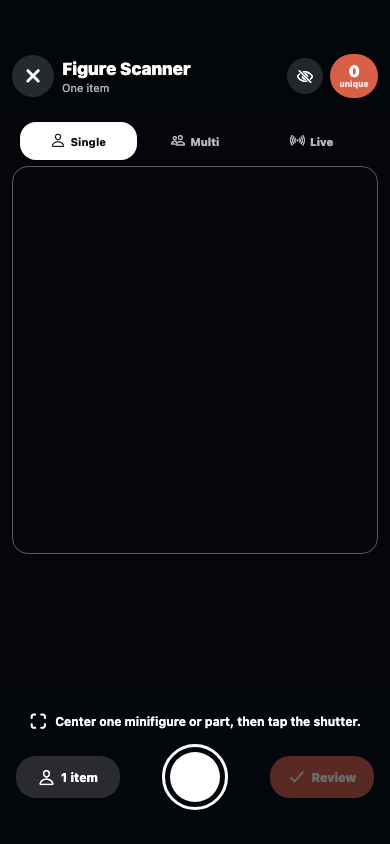
Identify several figures, compare each match, then review the results before saving.
Download screenshot ↓YOUR BETA FIELD GUIDE
Set up the PWA, add inventory, scan minifigures, organize storage, build a wishlist, understand prices, record sales and send useful feedback.
Illustrated PDF · 3.6 MB · Included with approved beta invitations
IN YOUR BROWSER. ON YOUR HOME SCREEN.
Your invitation includes a private registration link, the illustrated user manual and installation instructions.
A NOTE FROM CHASE
Buying and selling LEGO means keeping track of a lot more than set numbers.
I wanted one place to remember what I own, what I paid, where I put it, and what I’ve sold. That’s what led me to build BrickLedger.
I’m looking for people who collect, buy, or sell LEGO and are willing to try it with their own routine. Tell me what feels useful, what’s confusing, and what you wish it did better. Your experience will help shape what comes next.
ChaseCollector, buyer, seller & builder of BrickLedger
SMALL BETA. USEFUL CONVERSATIONS.
Share how you collect or sell and the problem you’d like to test.
I read applications personally. If it’s a fit, I’ll send your private invitation by email.
Add a small part of your collection, explore the features, and send honest feedback.
Collectors and people who buy or sell LEGO, whether you manage a few shelves or a growing resale inventory. Tell me about your real use case.
You can use BrickLedger in your browser. Adding it to your home screen is optional. The invitation email explains the steps.
An evolving app with rough edges. Start with a few sets, keep your existing records, and use the in-app feedback option to report issues or suggestions. Some tools may vary by device or account.
Your details are stored in the private review inbox and an email notification is sent to Chase. Applications are not published. Applying does not automatically grant access.
LET’S BUILD A BETTER COLLECTION TOOL
Tell me a little about yourself and what you’d like to try. I’ll review your request before sending an invitation.
Already invited? Open BrickLedger ↗